How to use
The guide screenshots remain in English. Button labels in your extension follow its display language.
What Is This Tool?
FB Ad Library Helper is a lightweight Chrome extension that helps you research Meta/Facebook Ads Library faster.
In Meta Ads Library, checking long-running ads, saving creatives, and copying ad text usually means opening cards, scanning details, and repeating the same steps again and again. FB Ad Library Helper brings active-duration badges, duration filters, creative saving, text copying, and Creative View into card buttons and top controls, turning those repeated steps into one-click actions.
It is built for marketers, performance advertisers, creative researchers, ecommerce operators, and agencies who need to review ads faster.
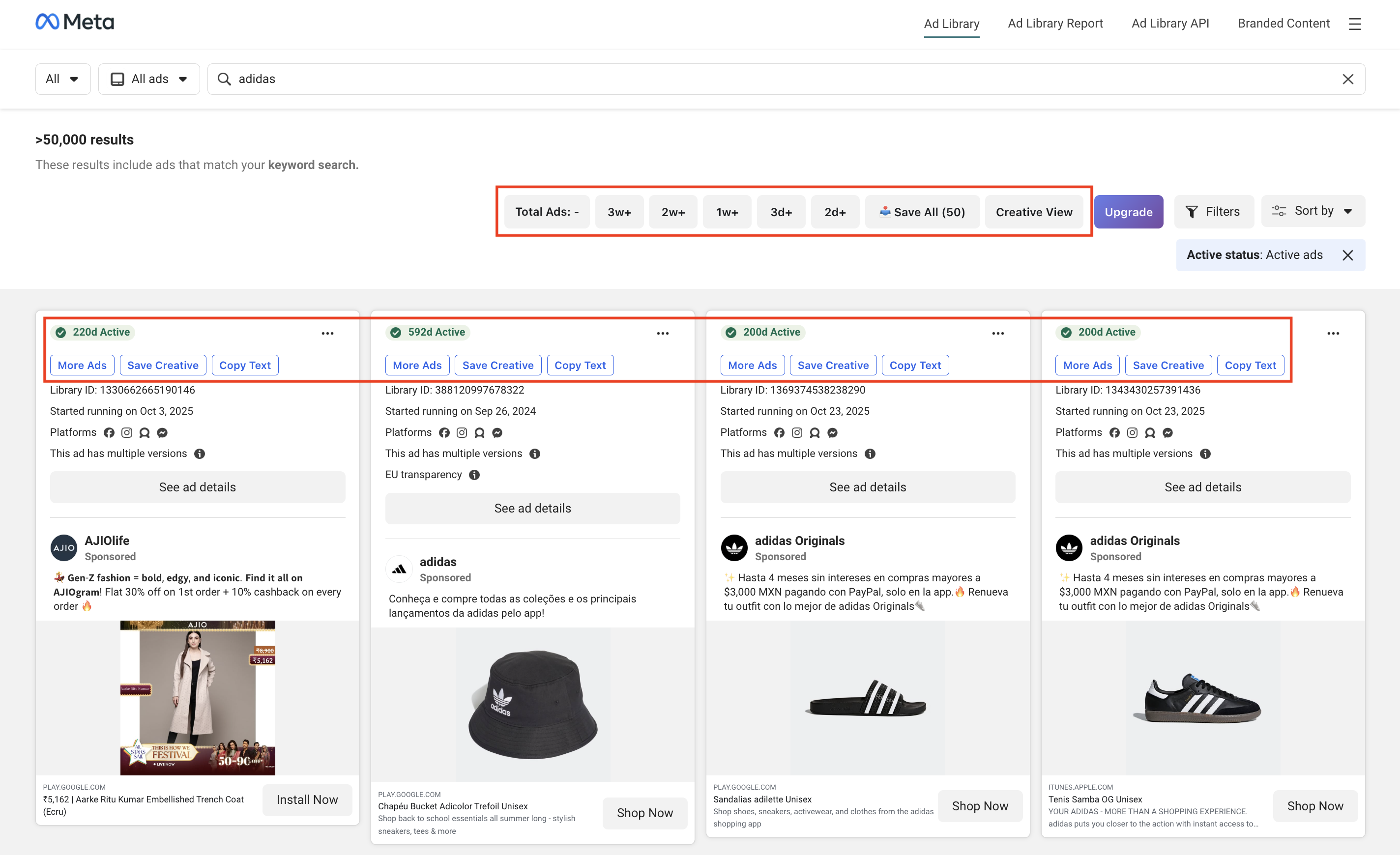
Core workflows:
- See how long each ad has been active at a glance
- Open more ads from the same advertiser faster
- Save ad thumbnails, images, and videos faster
- Copy ad text in a structured format
- Review loaded ads in a cleaner creative-focused view
- Filter ads by how long they have been active
Next Steps
- Open Meta Ads Library: https://www.facebook.com/ads/library/
- In the ad search area, choose All ads and enter a keyword.
- Use the new buttons added to each ad card.

Key Features
1. Active Duration Badge
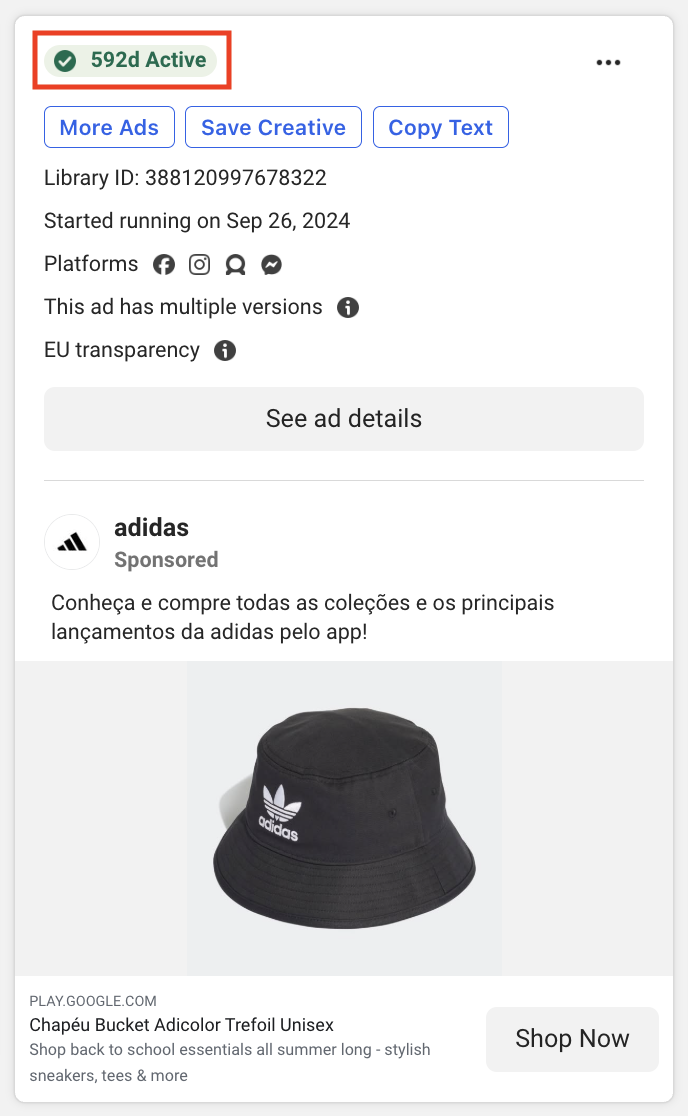
Each ad card shows how long the ad has been active.
For example, 592d Active means the ad has been running for roughly 592 days.
A long-running ad can be a useful research signal because it may indicate that the advertiser keeps it active over time.
This does not guarantee performance. It is only a lightweight signal to help you decide which ads to review.
2. More Ads
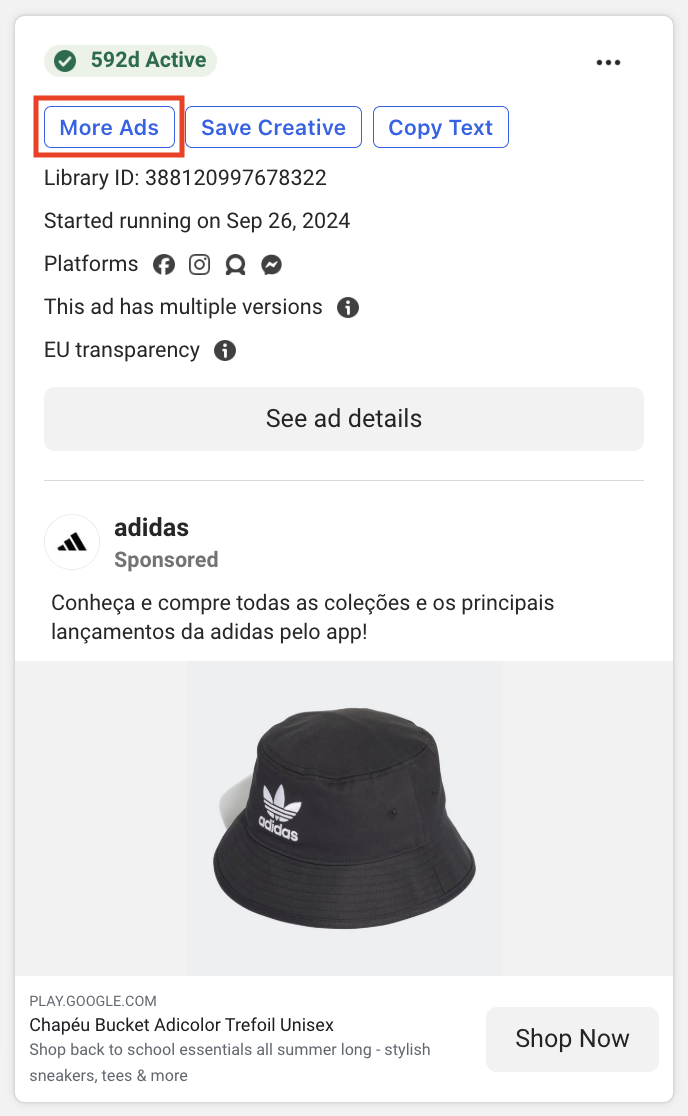
Use the More Ads button on an ad card to open more active ads from the same advertiser faster.
Use it when:
- You want to review a competitor's ad portfolio
- You want to compare creative variations from one advertiser
- You want to move from a single ad card to the advertiser-level Ads Library page faster
3. Save Creative
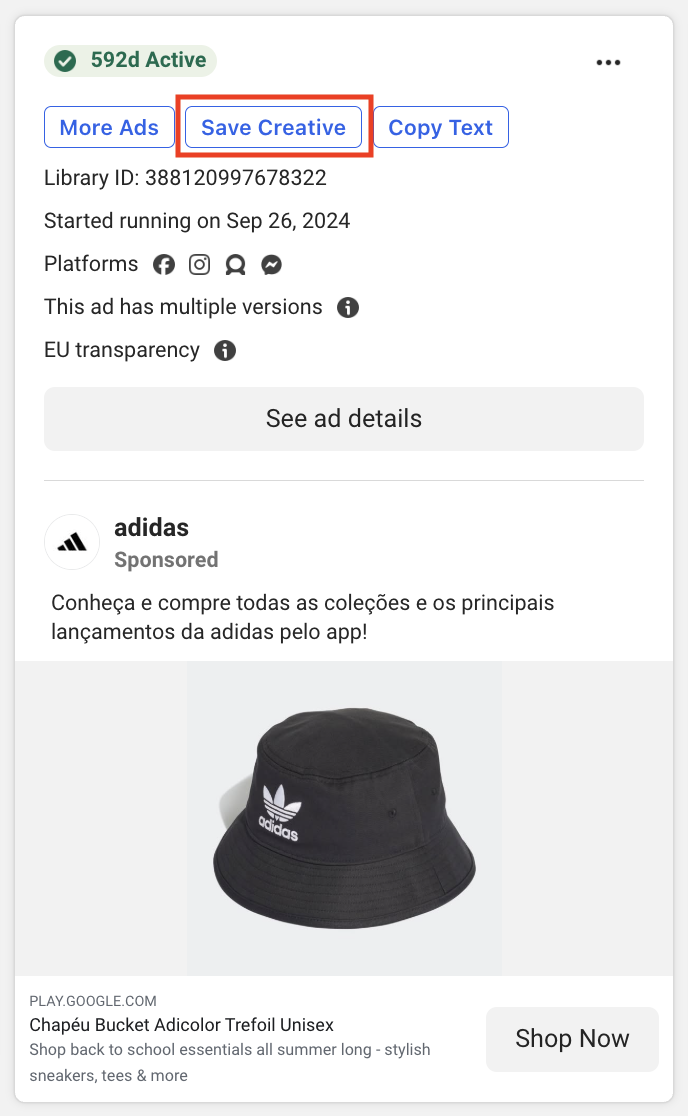
Use Save Creative to save media from a single ad card.
Each creative is saved as an individual file.
Saved media goes to your browser's default download location.
Use it when:
- You want to save one useful creative quickly
- You are building a reference folder for ad inspiration
- You want to keep downloaded assets connected to their ad IDs
4. Copy Text
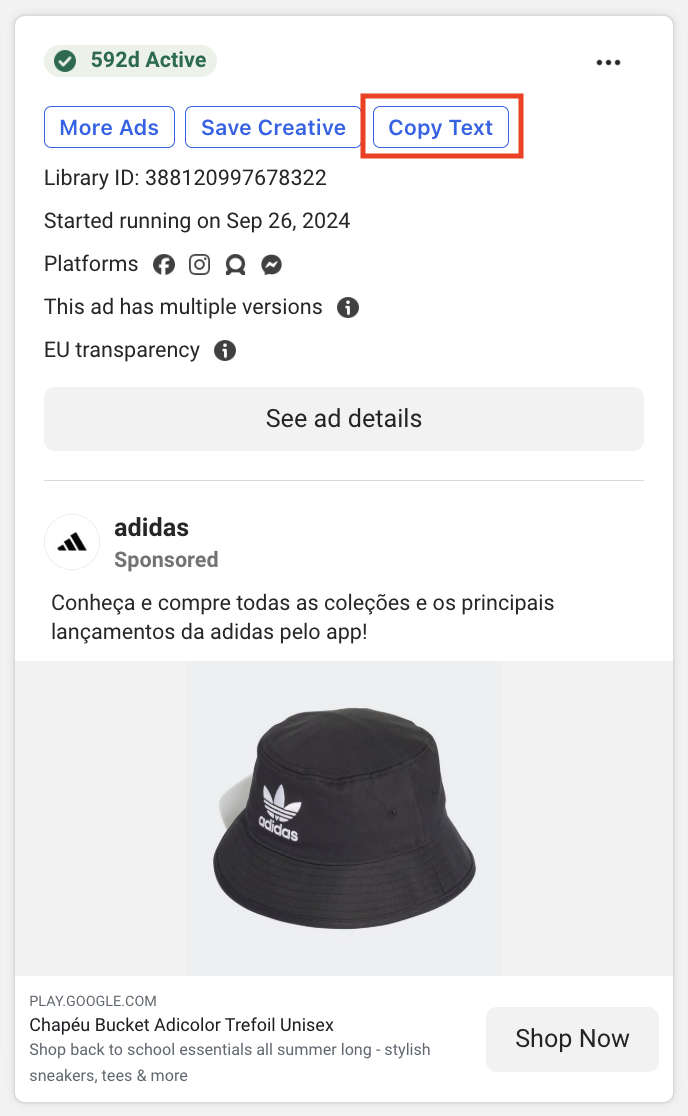
Use Copy Text to copy the ad's main text, headline, and description in a structured format.
Even when an ad is missing some fields, the copied output keeps the same structure so you can see what was present and what was empty.
Use it when:
- You want to collect hooks, headlines, and descriptions
- You want to paste ad copy into a spreadsheet, document, or research note
- You want to compare messaging across multiple creatives
5. Duration Filter

Use duration filters to narrow the current results to longer-running ads.
Available filters:
3w+: active for 3 weeks or more2w+: active for 2 weeks or more1w+: active for 1 week or more3d+: active for 3 days or more2d+: active for 2 days or more
Clicking a filter shows only ads in the current results that have been active for at least that long.

The number beside each filter means how many loaded ads match that condition. It is calculated within the context of the Facebook search results shown on the left.

Long-running ads can be useful research signals because advertisers may continue spending on ads that remain active.
This is not a performance guarantee. It is a lightweight research signal.
6. Creative View

Use Creative View to simplify the Ads Library page and focus more on thumbnails and videos.
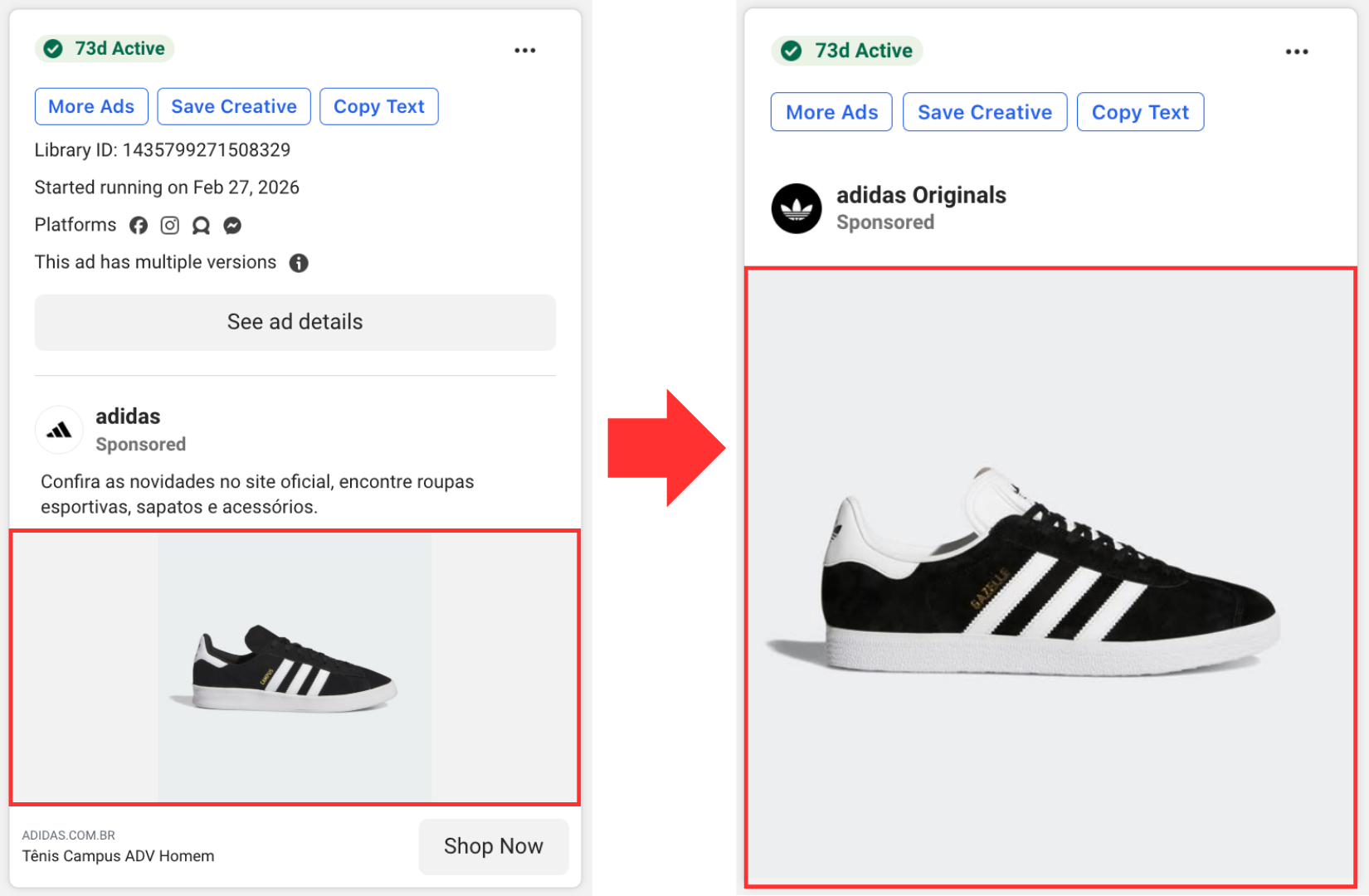
Use it when:
- You want to scan many creatives quickly
- You want a cleaner page for creative review
- You want to combine visual review with duration filters
7. Save All
Save All bundles media from up to 50 currently loaded ad cards into a ZIP file. One card may contain multiple files.
Ads Library loads more ad cards as you scroll. When new cards are loaded, the Save All count is recalculated. If you save again, the newly loaded creatives are included based on what is loaded at that moment.
A download summary appears after saving finishes.
Use it when:
- You want to save loaded creatives in a batch
- You want to combine duration filters with batch saving
- You want a faster workflow than saving ads one by one
Pro Access
FB Ad Library Helper Pro is a one-time purchase.
Price:
US$9.99 one-time purchase, lifetime access
No monthly subscription. No annual renewal.
Payment is handled by Polar. The extension does not store your card details.
FAQ
Which account gets Pro access?
Pro access is tied to the Google account used in the extension.
It is not tied to your Facebook account.
Can I use Pro on another device?
Yes. Install the extension and sign in with the same Google account.
What if Pro does not appear right after payment?
Close and reopen the extension popup to check whether it shows Pro active. Access is checked automatically when the popup opens.
Webhook activation usually finishes within a few seconds. If it still does not work, contact support with your purchase email.
Do you collect my Facebook login information?
No.
The extension does not collect your Facebook password, cookies, private messages, or private account data.
It only works with ad information visible on the Ads Library page.
Can I request a refund?
Yes.
You can request a full refund within 7 days of purchase by emailing support.
After a refund is processed, Pro access is automatically revoked.
Can I buy again after a refund?
Yes.
You can purchase again with the same Google account. Pro access will be restored after the new payment is processed.
Some ads are missing buttons. What should I do?
Refresh the Ads Library page.
Facebook frequently re-renders the page, so button injection can sometimes be delayed or miss a few cards.
Support
Email: ohohjjimo@gmail.com
For faster support, include:
- Purchase email
- Google login email
- A screenshot or short description of the issue
- The Ads Library URL where the issue happened
Typical response time is 1-2 business days.
Privacy
The extension does not collect:
- Facebook passwords
- Facebook cookies
- Private messages
- Payment card details
Stored data is limited to what is needed for login and Pro access:
- Google account email
- Pro purchase status
- Login/session timestamps
Payment processing, taxes, receipts, and refunds are handled by Polar.
FB Ad Library Helper is not an official product of, or affiliated with, Meta or Facebook.